Sterile Services
Project overview
Project Name: Sterile Services - tray management
Platform: Mobile application/Android
Client/Industry: Healthcare, specifically Sterile Services departments within hospital networks.
Led UX design for Android-based scanning tools used in operational and logistics environments across hospitals nationwide. Working with multiple internal teams, I translated complex operational requirements into intuitive interfaces for handheld devices, overcoming real-world constraints such as small screens, physical handling, and time-sensitive functionality.
Problem vs Solution
Problem
Sterile Services departments faced significant inefficiencies and limitations in tracking and managing sterile equipment. The existing software restricted users to processing one tray at a time, required repeated operator logins for activity capture, and was tied to outdated hardware. This led to slow workflows, poor visibility of resources, and challenges in auditing.
Solution
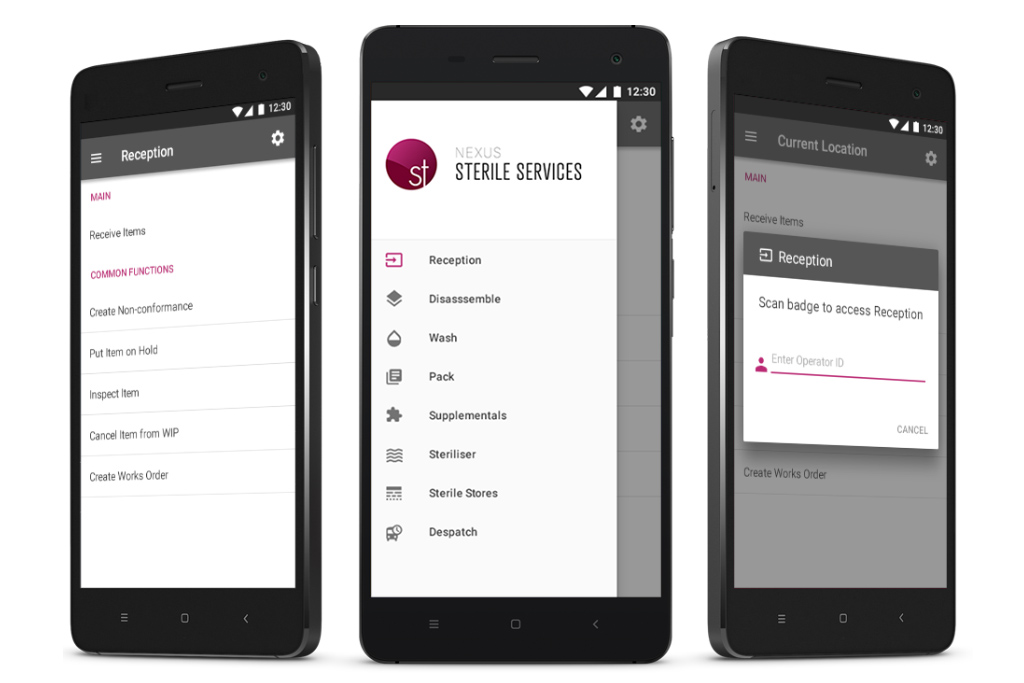
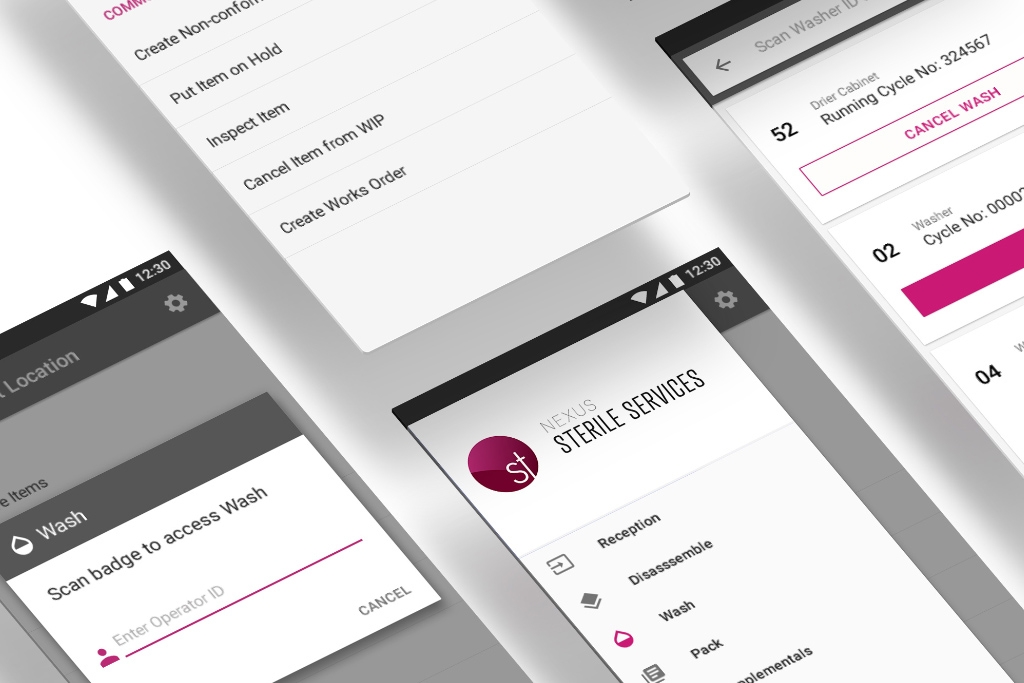
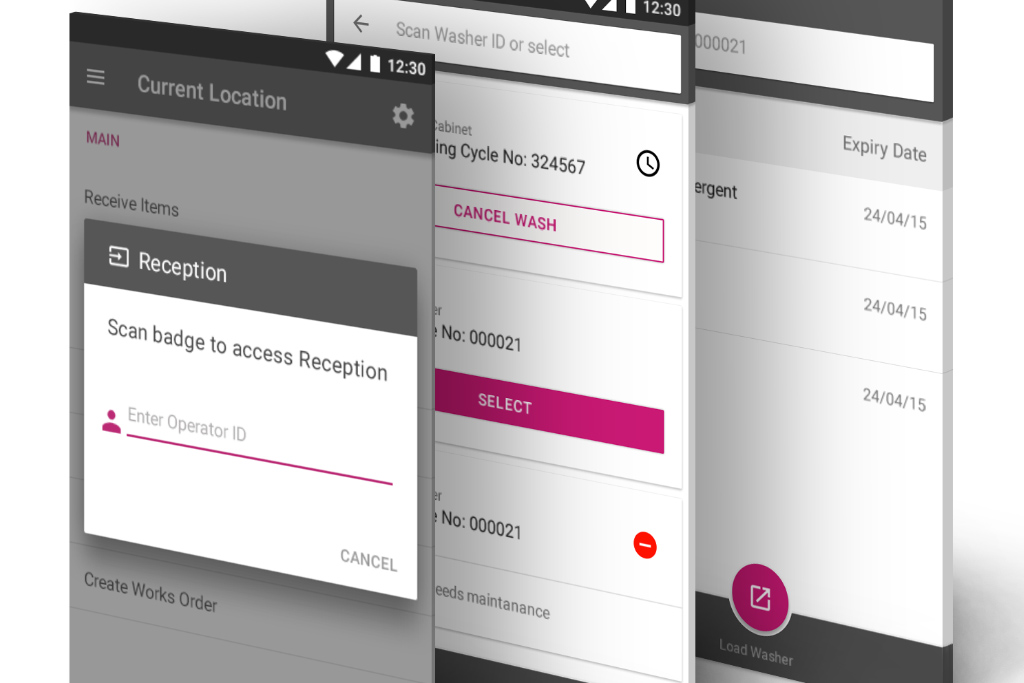
Development of a modern Android mobile application for Denso scanning units. The solution enabled multiple tray scanning, eliminated unnecessary login steps, provided real-time visibility of equipment, and facilitated comprehensive tracking from dispatch to operating room use. It also incorporated features for managing sterile machines, monitoring costs, and handling non-conformities.
My role and duties
As the UI/UX Designer for the Android Scanner project, my responsibilities were central to transforming an outdated system into a modern, efficient mobile solution. My duties included:
User Requirements Gathering: Conducting business analysis to gather detailed user requirements from Newgate's internal teams.
UI Refinement for Android: Modernizing the user interface to align with contemporary Android platform standards and Material Design principles.
Information Architecture & Interaction Design: Creating storyboards and interactive wireframes using Axure to define user flows and interactions.
Visual Design & Branding: Performing low-level UI design and ensuring brand placement consistency using Photoshop.
Technical UI Implementation: Defining UI layout and styles using Xamarin Forms and XAML, managing global theme placement, and collaborating closely with developers for implementation.
User Feedback monitoring: Gathering results from user testing and addressing feedback to ensure the design met user needs and improved usability.
Design Process
The design process was iterative and collaborative across multiple teams, focusing on understanding the unique needs of Sterile Services personnel and the technical constraints of the new Android platform:
User Requirements & Business Analysis: Initial phases involved extensive engagement with internal departments such as training, technical manual writing, and customer success teams to gather detailed user requirements. This included understanding their daily tasks, pain points with the existing system, and critical information flows which I translated into user flows.
Competitive & Platform Analysis: Researching best practices in mobile UX, particularly for scanning applications, and analyzing the capabilities and guidelines of the Android platform to inform design decisions.
Storyboarding & Wireframing (Axure): Creating detailed storyboards to visualize key user scenarios and developing interactive wireframes in Axure. These wireframes were used to map out user flows, define interactions, and test early concepts with stakeholders.
UI Design & Prototyping (Adobe Suite, Xamarin Forms): Translating wireframes into high-fidelity UI designs using Photoshop and Illustrator for visual elements and brand placement. Implementing UI layouts and styles directly in Xamarin Forms and XAML, ensuring a close alignment between design and technical implementation.
Continuous User Testing & Feedback: Monitoring feedback from user working groups for continuous demos and user testing. This iterative feedback loop was crucial for refining the UI, validating new features, and ensuring the application was intuitive and efficient for the end-users.
Design-Development Collaboration (Visual Studio): Working closely with the development team throughout the process, particularly during the code rewrite to Xamarin Forms, to ensure technical feasibility and a smooth implementation of the design. I wrote the styles in XAML to align to my designs.
Impact and Outcomes
The Android Scanner application delivered significant improvements to Sterile Services operations, directly addressing the initial challenges and providing substantial value:
Increased Operational Efficiency: The ability to scan multiple trays and eliminate unnecessary login steps drastically reduced processing times, allowing Sterile Services departments to handle higher volumes of equipment more efficiently.
Improved Data Accuracy & Auditability: Enhanced tracking features and streamlined data capture led to more accurate records of equipment movement, usage, and maintenance, supporting better auditing and compliance.
Enhanced Resource Visibility: Real-time visibility of available sterile equipment and resources enabled better planning and allocation, reducing delays and improving overall hospital logistics.
Modernized User Experience: The updated UI/UX, aligned with modern Android standards, improved user satisfaction, reduced training time, and made the application more intuitive and pleasant to use for busy healthcare professionals.
Future-Proofed Technology: The transition to modern Android Denso units and Xamarin Forms provided a scalable and maintainable platform for future enhancements and integrations.
Key Learnings
This project highlighted the importance of deep contextual understanding in healthcare UX, where efficiency and accuracy are paramount. It demonstrated the value of iterative design with continuous user feedback in refining complex workflows. Furthermore, the project underscored the necessity of close collaboration between design and development teams when re-platforming and integrating with new hardware, ensuring that design vision translates effectively into a functional and performant product. The success of the multi-tray scanning and streamlined login flows proved that significant efficiency gains can be achieved through thoughtful UX design addressing core user pain points.